
Introduction
If you applied for admission through JAMB, one of the most important things to check after your UTME or Direct Entry application is your admission status on the JAMB Central Admission Processing System, commonly called JAMB CAPS.
Your school may release an admission list, but that does not always mean your admission has been fully processed by JAMB. Your CAPS portal is where you can check whether JAMB has offered you admission and, when applicable, accept or reject the offer.
The good news is that checking your JAMB admission status on CAPS is straightforward. You only need your JAMB profile login details and an internet-enabled phone or computer.
In this guide, you will learn how to check your admission status on JAMB CAPS, what different CAPS messages mean, how to accept an admission offer, and what to do if your admission status has not changed.
What Is JAMB CAPS?
JAMB CAPS means Central Admission Processing System. It is the platform introduced by the Joint Admissions and Matriculation Board (JAMB) to manage admission offers into Nigerian tertiary institutions.
Through CAPS, candidates can see their admission status and take action when an admission offer is made.
For example, if a university has recommended you for admission and JAMB has approved the admission, you may see the offer on your CAPS page.
CAPS can also show messages such as:
- Not Admitted
- Admission in Progress
- Recommended for Admission
- Congratulations, you have been offered admission
- Admission status not yet available
Your exact message depends on the stage your admission has reached.
Why You Should Check Your JAMB CAPS Admission Status
Checking your school’s admission list alone is not enough.
JAMB CAPS is important because your admission needs to go through the official JAMB admission process.
There are several reasons you should regularly check CAPS:
- To know whether JAMB has offered you admission
- To accept an admission offer
- To reject an admission offer you do not want
- To monitor an admission that is still being processed
- To confirm your admission after your university releases its list
- To avoid missing an admission offer
- To know when you can print your JAMB admission letter
If you have been waiting for admission, checking CAPS should be part of your regular admission routine.
ALSO READ ABOUT:How to Change Your JAMB Phone Number and Email in 2026
How to Check JAMB Admission Status on CAPS
You can check your JAMB admission status using your phone, tablet or computer.
Follow these steps carefully.
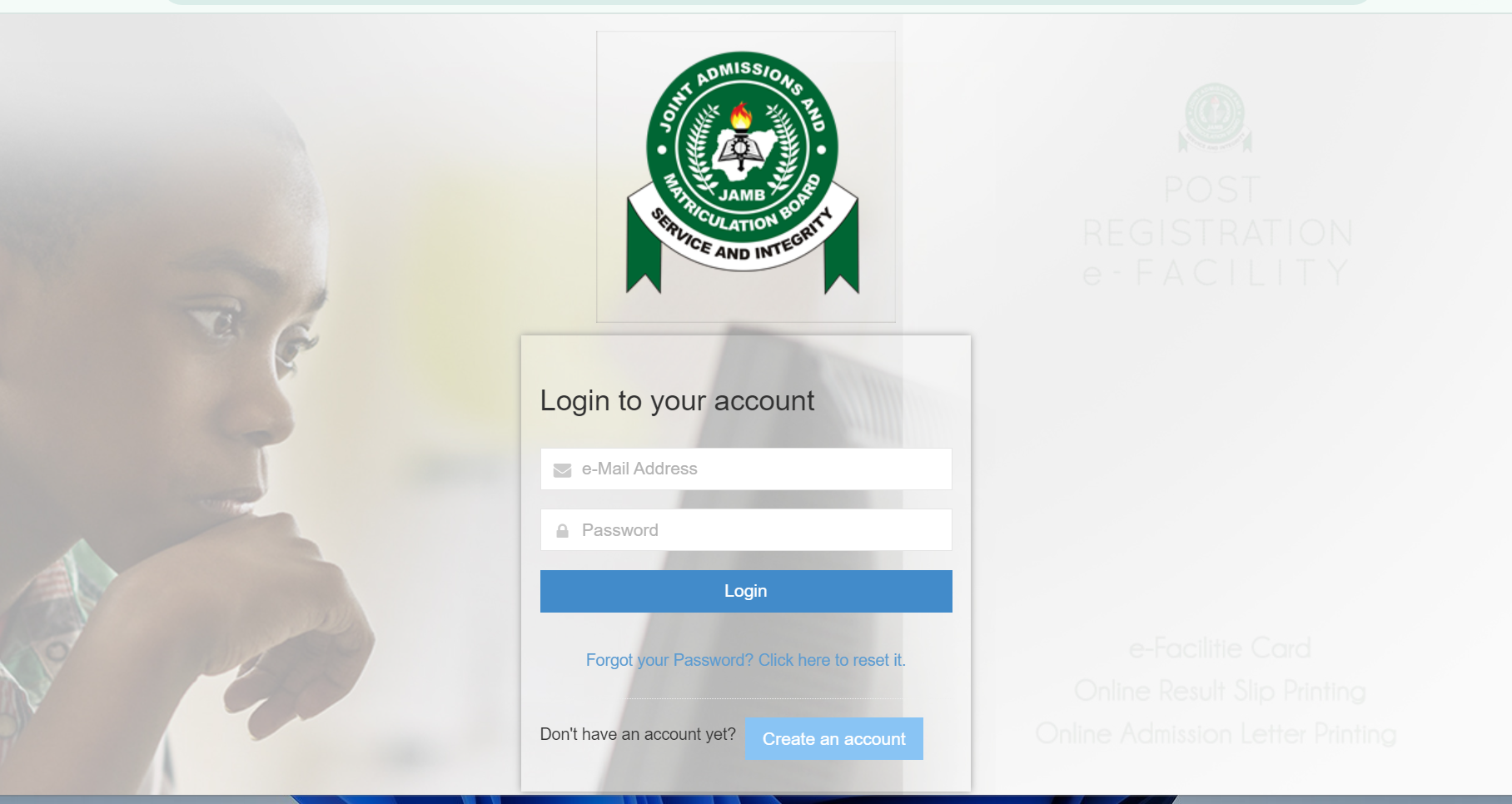
Step 1: Visit the JAMB Portal
Open your browser and go to the official JAMB e-Facility portal.
Log in using the email address and password connected to your JAMB profile.
Be careful when entering your details. Avoid giving your JAMB login information to people you do not trust.
Step 2: Log Into Your JAMB Profile
Enter your registered email address and password.
After successfully logging in, you should see your JAMB profile dashboard.
If you cannot remember your password, use the password recovery option provided on the portal.
Step 3: Locate the Admission Status Section
On your JAMB dashboard, look for the option relating to Admission Status.
Depending on the current version of the JAMB portal, the appearance of the dashboard may change slightly.
Select the admission status option to continue.
Step 4: Select Your Examination Year
If the portal asks you to select an examination year, choose the year in which you took the relevant JAMB examination.
For example, candidates who took the 2026 UTME should select the appropriate 2026 examination year.
Make sure you select the correct year before proceeding.
Step 5: Check Your Admission Status
After selecting the appropriate examination year, follow the instructions displayed on the portal.
Your admission status should appear if JAMB has processed an admission decision for your profile.
If you have been offered admission, the portal should provide information about the offer.
If your admission is still being processed, you may see a different message.
How to Accept Admission on JAMB CAPS
If JAMB offers you admission through CAPS, you may need to accept the offer.
Do not accept an admission offer without first checking that the institution and course are what you want.
If you are satisfied with the offer, follow these steps:
- Log in to your JAMB profile.
- Go to the admission status or CAPS section.
- Open your admission offer.
- Carefully check the institution and course.
- Select Accept Admission if you want the offer.
- Follow the instructions displayed by JAMB.
- Confirm that your acceptance has been successfully recorded.
Once you accept the admission, keep checking your JAMB profile for further updates.
You should also follow the instructions provided by your institution concerning screening, clearance, acceptance fees and registration.
What Does “Not Admitted” Mean on JAMB CAPS?
If your CAPS status says Not Admitted, it means JAMB has not offered you admission at the time you checked.
It does not necessarily mean that you will never gain admission.
Admission processing can continue while universities are still submitting or updating their admission lists.
If your school has not completed its admission process, your CAPS status may change later.
For this reason, candidates should continue monitoring both their institution’s admission updates and their JAMB CAPS profile.
What Does “Admission in Progress” Mean on JAMB CAPS?
Admission in Progress generally means your admission is still being processed.
It can appear while the institution and JAMB are completing the admission process.
You should not panic if you see this message.
Continue checking your CAPS profile and monitor official updates from your institution.
Avoid paying anyone who claims they can “upgrade” or manually change your CAPS status.
What Does “Recommended for Admission” Mean?
If your status indicates that you have been recommended for admission, it generally means your institution has recommended you for admission and the admission is undergoing the necessary processing.
The status can change as the admission process progresses.
Keep checking your JAMB profile for the final decision.
What Does “Congratulations, You Have Been Offered Admission” Mean?
This is the message candidates want to see.
It means JAMB has offered you admission.
When this happens, carefully check the institution and course attached to the offer.
If you want the admission, follow the CAPS instructions to accept it.
After accepting the offer, proceed with the next steps required by your institution.
These may include:
- Payment of acceptance fees
- Online clearance
- Physical screening
- Submission of documents
- School registration
- Payment of school fees
The exact requirements vary from one institution to another.
Can I Check JAMB CAPS Admission Status With My Phone?
Yes.
You can check your admission status using a smartphone and an internet connection.
However, some candidates find the CAPS interface easier to use on a computer because certain parts of the JAMB portal may not display properly on a small screen.
If you are using a phone and a particular option does not appear, try switching your browser to Desktop Site mode.
You can also try another browser or use a computer.
Why Is My JAMB CAPS Admission Status Not Showing?
There are several reasons your admission status may not be showing.
Your institution may not have uploaded or processed your admission yet.
JAMB may also still be processing the admission information received from your institution.
Other possible reasons include:
- The institution has not completed its admission process
- Your admission has not yet been uploaded to CAPS
- Your profile information needs attention
- You selected the wrong examination year
- There is a temporary issue with the JAMB portal
- You are checking before the admission process has reached your profile
If your school has released its admission list but your CAPS status has not changed, give the process some time and continue checking the official JAMB portal.
My School Gave Me Admission but JAMB CAPS Says Not Admitted
This situation can be confusing.
Some institutions may publish their own admission lists before the admission is reflected on JAMB CAPS.
If you have seen your name on your school’s official admission list but CAPS still says Not Admitted, do not immediately assume that the admission is fake.
First, confirm the admission directly from the institution’s official website or admission portal.
Then continue monitoring your JAMB CAPS profile.
If the discrepancy remains for an extended period, contact the institution’s admission office or JAMB through its official support channels.
Do not pay an agent simply because someone claims they can make the admission appear on CAPS.
What If I Cannot Accept My Admission on CAPS?
If you have been offered admission but cannot accept it, check whether the acceptance option is available on your CAPS page.
Also make sure you are using the correct JAMB profile.
If the portal is experiencing technical problems, try again later.
You can also try:
- Using a different browser
- Clearing your browser cache
- Using Desktop Site mode
- Using a computer
- Checking your internet connection
- Logging out and signing in again
If the problem continues, use JAMB’s official support channels rather than paying an unofficial agent.
Can I Reject Admission on JAMB CAPS?
Yes, CAPS provides candidates with the option to respond to an admission offer.
However, do not reject an admission simply because you are waiting for another school unless you fully understand the consequences.
Once you reject an offer, changing your decision may not always be straightforward.
Take your time and consider the institution, course and your other admission prospects before making a decision.
What Happens After Accepting JAMB Admission?
Accepting admission on CAPS is not necessarily the end of the admission process.
You should check your institution’s official instructions for the next stage.
Depending on the school, you may need to complete:
Acceptance fee payment
Some universities require newly admitted students to pay an acceptance fee within a specified period.
Clearance
You may need to submit your credentials for physical or online verification.
School registration
The institution may require you to complete student registration before you can begin academic activities.
School fees
You may need to pay your tuition and other approved charges.
JAMB admission letter
You may also be able to print your official JAMB admission letter after the admission has been properly reflected and processed.
Always follow the instructions issued by your institution and JAMB.
Documents You May Need After Receiving Admission
Once you have been offered admission, start preparing your documents.
Common documents include:
- JAMB result slip
- JAMB admission letter
- O’level result
- Birth certificate or declaration of age
- Local government identification or certificate where required
- Passport photographs
- Secondary school certificate
- Indigene certificate where required
- Screening or clearance documents
- Other documents requested by your institution
Requirements vary, so check your school’s official instructions before preparing your final documents.
How Often Should I Check JAMB CAPS?
There is no need to refresh the portal every few minutes.
If your admission is still being processed, checking periodically is enough.
A good approach is to check your CAPS profile regularly while also following your school’s official admission updates.
Be particularly attentive during periods when your institution is releasing admission lists.
Beware of Fake JAMB Admission Agents
Admission season attracts scammers.
Some people may claim that they have access to JAMB officials or university admission officers and can guarantee admission.
Be careful.
Nobody should ask you to pay money simply to “activate” your CAPS admission.
Do not share your JAMB password, email password or other sensitive account information with strangers.
If you need assistance, use official JAMB or institutional channels.
Also avoid clicking suspicious links sent through WhatsApp, Facebook or text messages claiming to be JAMB admission portals.
Always verify that you are using the official website before entering your personal information.
Frequently Asked Questions About JAMB CAPS
How do I check my JAMB admission status?
Log into your JAMB profile through the official JAMB e-Facility portal and navigate to the admission status or CAPS section. Select the relevant examination year and follow the instructions displayed.
Can I check JAMB CAPS with my phone?
Yes. You can access your JAMB profile using a smartphone, although a computer may provide a better experience if some CAPS options are difficult to see on a mobile browser.
What does Not Admitted mean on CAPS?
It means JAMB has not offered you admission at the time you checked. Your status may still change if admission processing is ongoing.
What does Admission in Progress mean?
It generally means your admission is still undergoing processing. Continue monitoring your JAMB profile and your institution’s official admission updates.
What should I do if my school has offered me admission but CAPS says Not Admitted?
Confirm the admission through your school’s official admission platform and continue checking CAPS. If the issue persists, contact your institution or JAMB through official channels.
Can I accept admission on my phone?
Yes. If the acceptance option is available on your CAPS profile, you can generally complete the process using a smartphone with internet access.
Do I need to pay someone to check my CAPS status?
No. You should not need an unofficial agent to check your admission status. You can access your JAMB profile yourself.
Can JAMB CAPS admission change?
Admission information can change while the admission process is ongoing. Always check your current official status rather than relying on an old screenshot or message.
Can I print my JAMB admission letter after accepting admission?
Once your admission has been properly processed, you may be able to print your JAMB admission letter through your JAMB profile. Follow the current instructions on the official JAMB portal.
Final Advice for JAMB Candidates
Checking JAMB CAPS is one of the most important things to do after completing your admission application.
Do not rely only on messages from friends, WhatsApp groups or social media pages. Your official JAMB profile and your institution’s official admission portal should be your primary sources of information.
If your CAPS status says Not Admitted, do not panic immediately. Your school may still be processing admissions.
If it says Admission in Progress, continue monitoring it.
If you receive an official admission offer, carefully review the institution and course before accepting it.
Most importantly, never give your JAMB login details to an untrusted person and never pay someone who claims they can guarantee or secretly “upgrade” your admission.
Your admission journey can be stressful, but keeping track of the right information makes the process much easier.